
RATINGS
580M
DOWNLOADS
4+
AGE

 Download Latest APK
Wait a moment, your result is coming soon!

Face is not found. Please try again with another clear full-face portrait of a better quality.

Take Quiz Now
Screenshots

About this app
-
 Name Microsoft Authenticator
 -
 category Business
 -
 Price Free
 -
 Safety 100% Safe
 -
 Developer Microsoft Corporation
 -
 Version 6.2402.1098
 -
 Target Casual Users
 -
 Update 2025.06.20
Related articles




Core Features
-
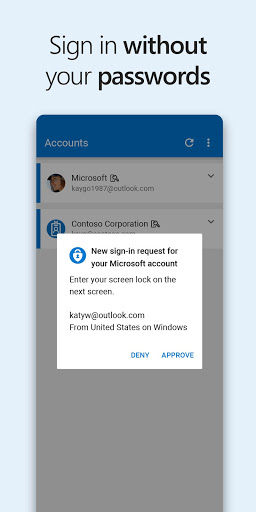
Multi-Factor AuthenticationMicrosoft Authenticator provides an additional layer of security with multi-factor authentication, ensuring that your accounts are safeguarded against unauthorized access. Users can receive a notification for verification or enter a time-based one-time password (TOTP).
-
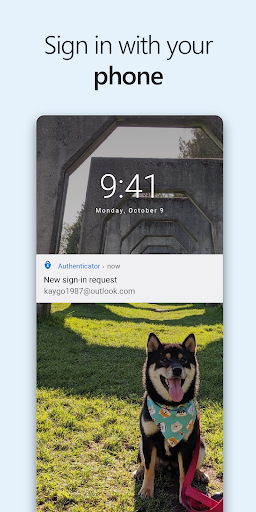
Passwordless Sign-inUsers can enjoy seamless access to Microsoft accounts and services through passwordless sign-ins, using biometrics like fingerprint scanners or facial recognition as an alternative to traditional passwords.
-
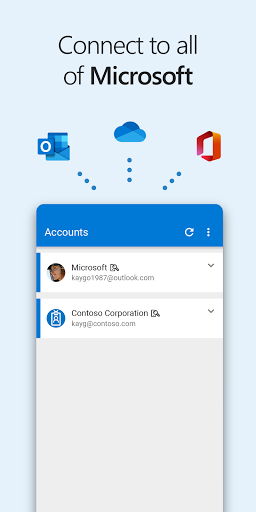
Account ManagementEasily manage multiple accounts from various providers within a single app. Microsoft Authenticator supports accounts from Microsoft as well as third-party services, giving users a centralized approach to security.
-
Backup and RecoveryThe app includes a secure cloud backup feature that allows users to restore their authenticator app data on a new device, making recovery seamless in case of a lost or damaged phone.
-
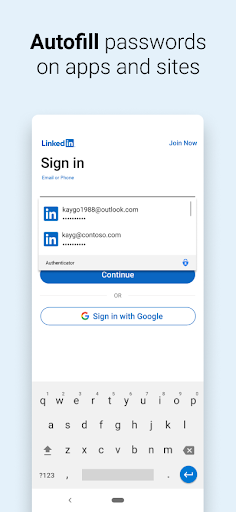
Secure Web Sign-inUtilize built-in web sign-in features that allow users to quickly and securely log into websites and online services, enhancing the user's browsing experience while maintaining security.
Pros
-
User-Friendly InterfaceThe app offers a clean and intuitive interface, making it easy for users to navigate and set up their accounts without hassle.
-
Cross-Platform CompatibilityAvailable on both Android and iOS platforms, Microsoft Authenticator ensures that users can access their accounts securely, regardless of their device.
-
Strong Security MeasuresWith robust encryption and biometric verification options, users can trust that their sensitive information is well-protected against potential threats.
-
Free to UseMicrosoft Authenticator is completely free, providing users with top-tier security features without any subscription fees.
-
Regular UpdatesThe app is frequently updated with new features and security enhancements, ensuring users benefit from the latest technology and security practices.
Cons
-
Dependency on Mobile DeviceUsers must have their mobile devices with them to access accounts, which could be inconvenient if the device is lost, broken, or out of battery.
-
Initial Setup ComplexitySome users may find the initial setup process for multi-factor authentication somewhat complex, especially if they are unfamiliar with the concept.
-
Limited to Supported AccountsWhile supporting many services, not all accounts are compatible, which may restrict usage for users with less common platforms.
-
Network DependencyFunctionality may be hindered in areas with poor internet connectivity, making it challenging to receive authentication prompts or access the app.
-
No Desktop VersionCurrently, Microsoft Authenticator lacks a desktop version, meaning users must rely on mobile devices exclusively for authentication.
Price
-
Free to DownloadMicrosoft Authenticator is available for free, allowing users to take advantage of its features without any upfront costs.
-
No Paid FeaturesAll features of the app are available for free, with no hidden charges or premium subscriptions needed to access advanced functionalities.
Ratings
4.6
2.2M votes
-
5
-
4
-
3
-
2
-
1