RATINGS
710M
DOWNLOADS
4+
AGE

 Download Latest APK
Wait a moment, your result is coming soon!

Face is not found. Please try again with another clear full-face portrait of a better quality.

Take Quiz Now
Screenshots





About this app
-
 Name Pixelcut
 -
 category Art & Design
 -
 Price Free
 -
 Safety 100% Safe
 -
 Developer Circular, LLC
 -
 Version 0.6.21
 -
 Target Casual Users
 -
 Update 2025.07.17
Related articles



Core Features
-
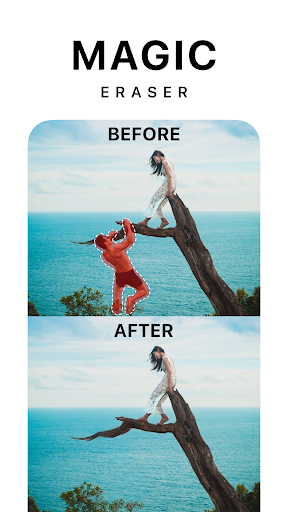
AI Image Background RemovalPixelcut utilizes advanced AI technology to effortlessly remove backgrounds from images, making it ideal for creating stunning visuals for social media, e-commerce, and graphic design projects.
-
Customizable TemplatesThe app offers a variety of professionally designed templates that users can customize according to their needs, allowing for quick and creative graphic design without prior experience.
-
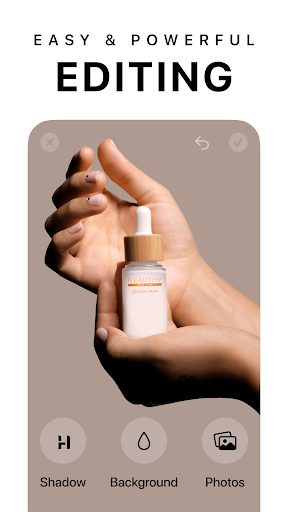
Multi-layer EditingPixelcut supports multi-layer editing, enabling users to manage different parts of their images separately, enhancing the complexity and creativity of their designs.
-
High-resolution ExportUsers can export their finished images in high resolution, ensuring that final outputs are clear and suitable for both digital and print use.
-
User-friendly InterfaceThe app boasts an intuitive interface that even beginners can navigate easily, reducing the learning curve and streamlining the creative process.
Pros
-
Time-saving FeaturesPixelcut significantly reduces image editing time, allowing users to focus more on creativity rather than technical details.
-
Versatile Use CasesWhether for personal projects or professional purposes, Pixelcut adapts to various needs, making it an essential tool for bloggers, marketers, and small business owners.
-
Regular UpdatesThe app is frequently updated with new features and improvements based on user feedback, ensuring it stays relevant and useful.
Cons
-
In-app PurchasesWhile the basic features are free, some advanced features require in-app purchases, which may limit access for some users.
-
Limited Customization OptionsThough there are many templates available, some users might find the customization options within templates somewhat limited compared to dedicated design software.
Price
-
Free VersionThe free version of Pixelcut allows users to access basic functionalities, including simple background removal and limited exports.
-
Pro SubscriptionA subscription is available that unlocks advanced features such as premium templates, unlimited high-resolution exports, and exclusive editing tools for a monthly fee.
Ratings
4.3
172.4K votes
-
5
-
4
-
3
-
2
-
1