
RATINGS
550M
DOWNLOADS
4+
AGE

 Download Latest APK
Wait a moment, your result is coming soon!

Face is not found. Please try again with another clear full-face portrait of a better quality.

Take Quiz Now
Screenshots

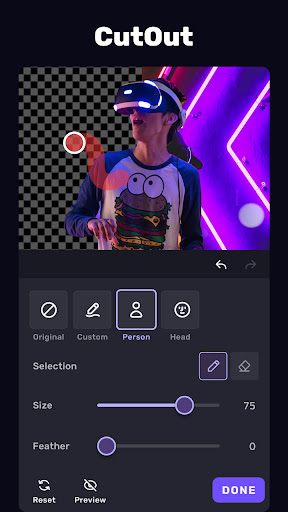
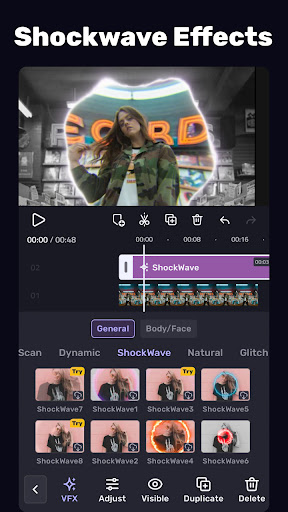
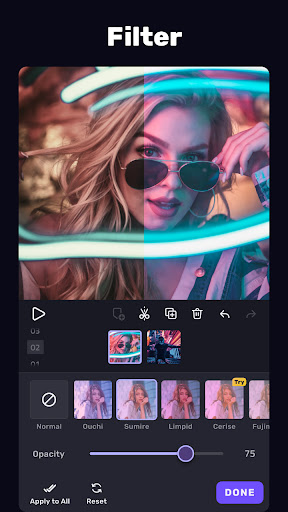
About this app
-
 Name VivaCut
 -
 category Video Players & Editors
 -
 Price Free
 -
 Safety 100% Safe
 -
 Developer VivaCut professional video editor
 -
 Version 3.3.2
 -
 Target Casual Creators
 -
 Update 2025.07.15
Related articles



Core Features
-
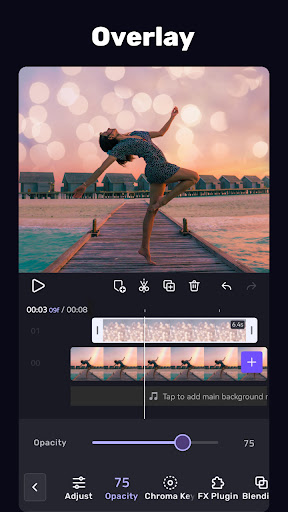
Multi-layer Timeline EditingVivaCut offers a multi-layer timeline that allows users to edit multiple videos and audio tracks simultaneously, making it ideal for those who want to create intricate video compositions without hassle.
-
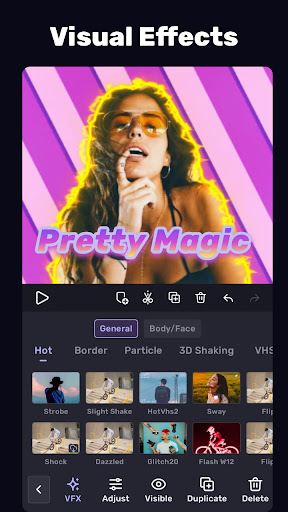
Advanced Video EffectsWith a wide range of effects such as glitch, transition, and filters, VivaCut empowers users to transform their videos dramatically, enhancing storytelling with cinematic quality.
-
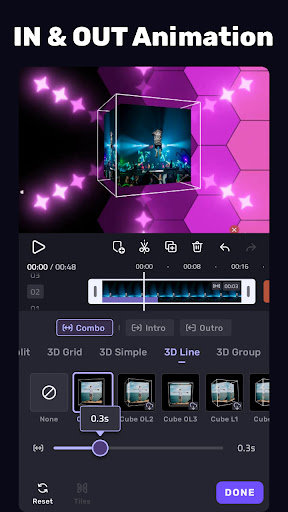
Keyframe AnimationThe keyframe feature allows users to animate properties of video clips or images, providing precise control over movements and appearance for a truly professional finish.
-
High-Quality Export OptionsUsers can export videos in various resolutions up to 4K, ensuring that their edits maintain top quality, whether for social media or larger displays.
-
User-Friendly InterfaceVivaCut's intuitive interface is designed for ease-of-use, empowering both novice and experienced editors to navigate and utilize its powerful features effortlessly.
Pros
-
Versatile Editing ToolsThe app provides comprehensive editing tools that rival professional software, giving users significant creativity and flexibility in their editing projects.
-
Regular UpdatesVivaCut is regularly updated with new features, effects, and improvements based on user feedback, ensuring a continually evolving editing experience.
-
No Watermark on ExportsUnlike many competing applications, VivaCut allows users to export videos without watermarks, making it an attractive tool for content creators.
Cons
-
Learning Curve for Advanced FeaturesWhile the basics are easy to grasp, users may face a learning curve when trying to master advanced features, which might initially deter complete beginners.
-
Performance on Low-End DevicesSome advanced effects and high-resolution exports can cause performance issues on lower-end devices, potentially leading to lag.
Price
-
Free VersionVivaCut offers a free version with essential features suitable for casual editing needs, allowing users to try before committing.
-
Pro SubscriptionThe Pro version unlocks advanced features, additional effects, and high-resolution export options, enhancing the editing experience for serious users.
Ratings
4.3
1.4M votes
-
5
-
4
-
3
-
2
-
1